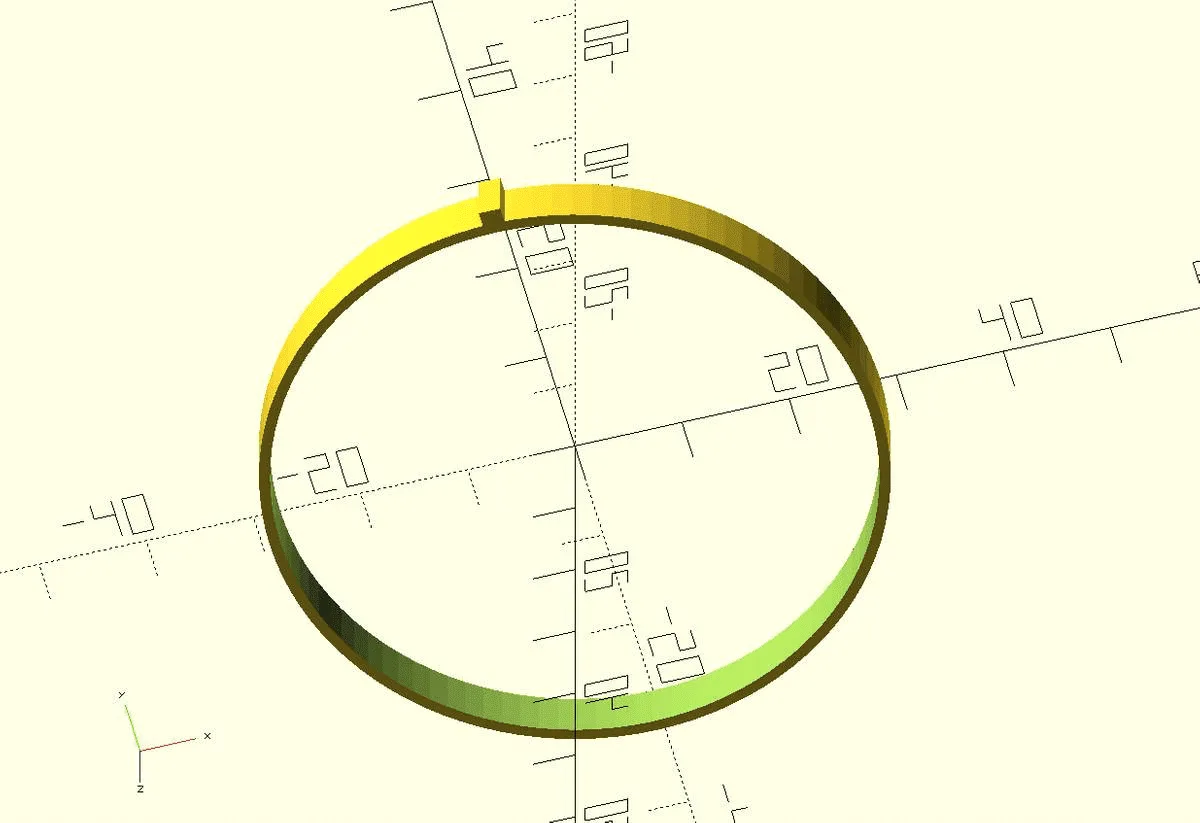
A spare part for a faucet ring on our Ideal Standard built-in mixer tap. Printed in golden PETG, it's a pretty perfect replacement for the original.
Tiny as it is — a ring with a small nose — it's a perfect example of why you work with named variables in OpenSCAD. Below, the same ring appears three times: with variables, without them, and thoroughly commented.
With variables
a (outer), b (inner) and c (thickness) sit at the top — adapting the ring to a different tap then just means changing a; b = a - 2 follows along.
// outer diameter
a = 57;

// inner diameter
b = a - 2;

// thickness
c = 5;

translate([-1, a/2-0.6, 0])
cube([2, 2, c]);

difference() {
    cylinder(d=a, h=c);
    cylinder(d=b, h=c);
}
Without variables
Replace a, b and c with their values and you get this more compact, but less adaptable, short version.
translate([-1, 27.9, 0])
cube([2, 2, 5]);

difference() {
    cylinder(d=57, h=5);
    cylinder(d=55, h=5);
}
Thoroughly commented
And here's how the same code reads with every step explained — handy for learning:
// outer diameter in mm
a = 57;

// inner diameter in mm; the inner diameter is 2 mm smaller
// than the outer diameter.
b = a - 2;

// thickness in mm
c = 5;

// Draw a cuboid (cube) 2 mm wide (x), 2 mm tall (y) and c (= 5 mm)
// thick (z). Move this cube 1 mm left on the x axis, by
// a / 2 - 0.6 (= 27.9 mm) on the y axis and by 0 mm on the z axis.
translate([-1, a/2-0.6, 0])
cube([2, 2, c]);

// Subtract from a cylinder of diameter a (57 mm) and height c (5 mm)
// a cylinder of the same height and diameter b (55 mm)
difference() {
    cylinder(d=a, h=c);
    cylinder(d=b, h=c);
}