Hardly anyone needs this exact chimney — but it shows two OpenSCAD tools that are genuinely useful for your own projects.
The Customizer: parameters without editing code
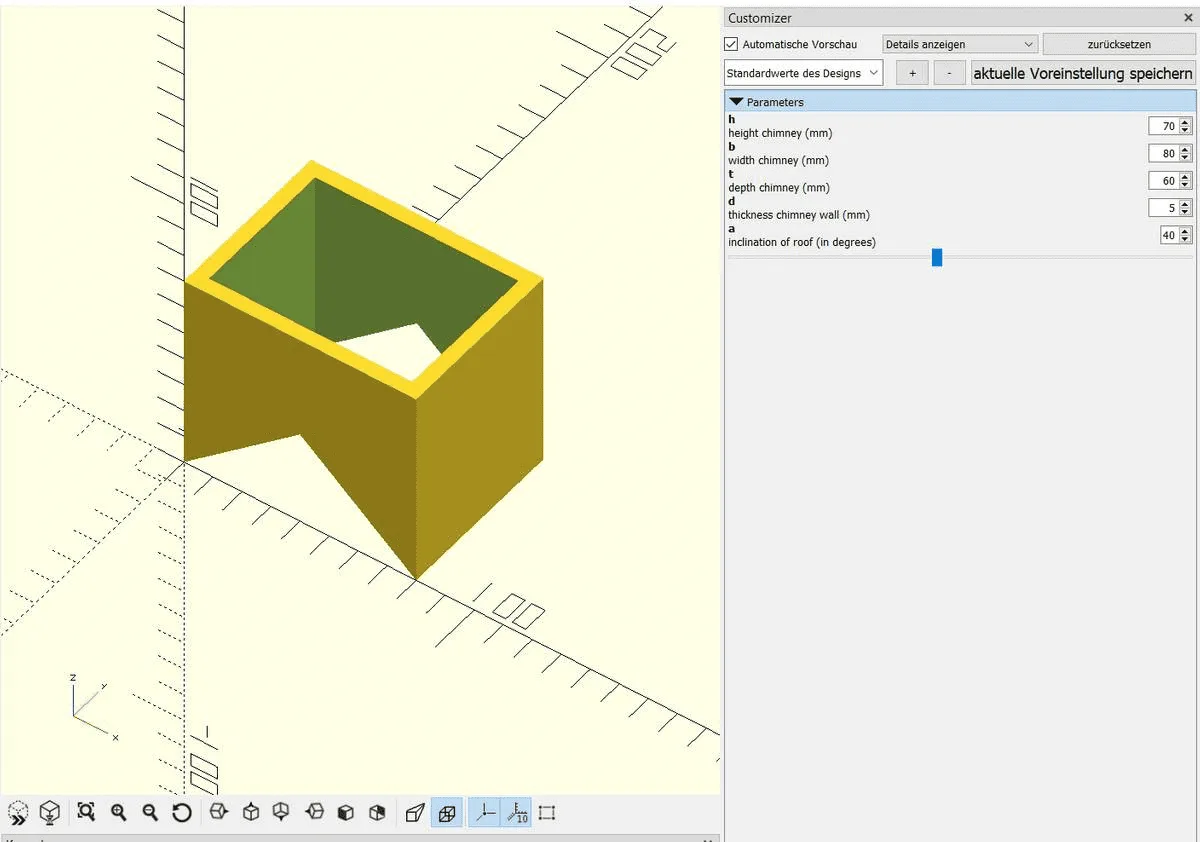
The OpenSCAD Customizer lets you adjust parameters and variable values without editing the program file. The comments from the program are used as descriptions for the parameters — // inclination of roof (in degrees) above a variable becomes a labelled input field, and a=40; // [0:89] turns it into a slider from 0 to 89. That way even someone with no OpenSCAD knowledge can adjust the part; with /* [Hidden] */ you keep helper variables out of the Customizer.
polyhedron() and a little maths
To let the roof pitch be specified in degrees, a bit of maths was actually required (see the hroof calculation — the angle a becomes the matching ridge height). The angled roof cut-out itself is made with polyhedron(): you give a list of vertices (points) and the faces that connect them (faces). This lets you build shapes that can't be assembled from cuboids and cylinders — here the gable that makes the chimney sit flush on the roof.
// height chimney (mm)
h=70;

// width chimney (mm)
b=80;

// depth chimney (mm)
t=60;

// thickness chimney wall (mm)
d=5;

// inclination of roof (in degrees)
a=40; // [0:89]

/* [Hidden] */
// sin a = h / c
// c = sqrt((b/2)^2+h^2)
// solve h=sin(a)*sqrt(b^2/4+h^2) for h
hroof = b * sin(a)/(2 *sqrt(1 - sin(a)*sin(a)));

difference() {
    // chimney
    cube([b, t, h]);

    union() {
        // inner cube to remove
        translate([d, d, 0])
        cube([b-2*d, t-2*d, h]);

        roof(b, t, hroof);
    }
}

module roof(b, t, h){
   polyhedron(
       points=[[0,0,0], [0,t,0], [b,t,0], [b,0,0], [b/2,0,h], [b/2,t,h]],
       faces=[[0,1,2,3],[5,4,3,2],[0,4,5,1],[1,5,2],[0,3,4]]
   );
}